Understand sources and intent
The selected workflow determines which speech, visuals, product evidence or story structure matter for the task.
Automatic video editor
Start from a blank output or bring one source or many, then use scenario automation alongside direct canvas, timeline and Agent editing.
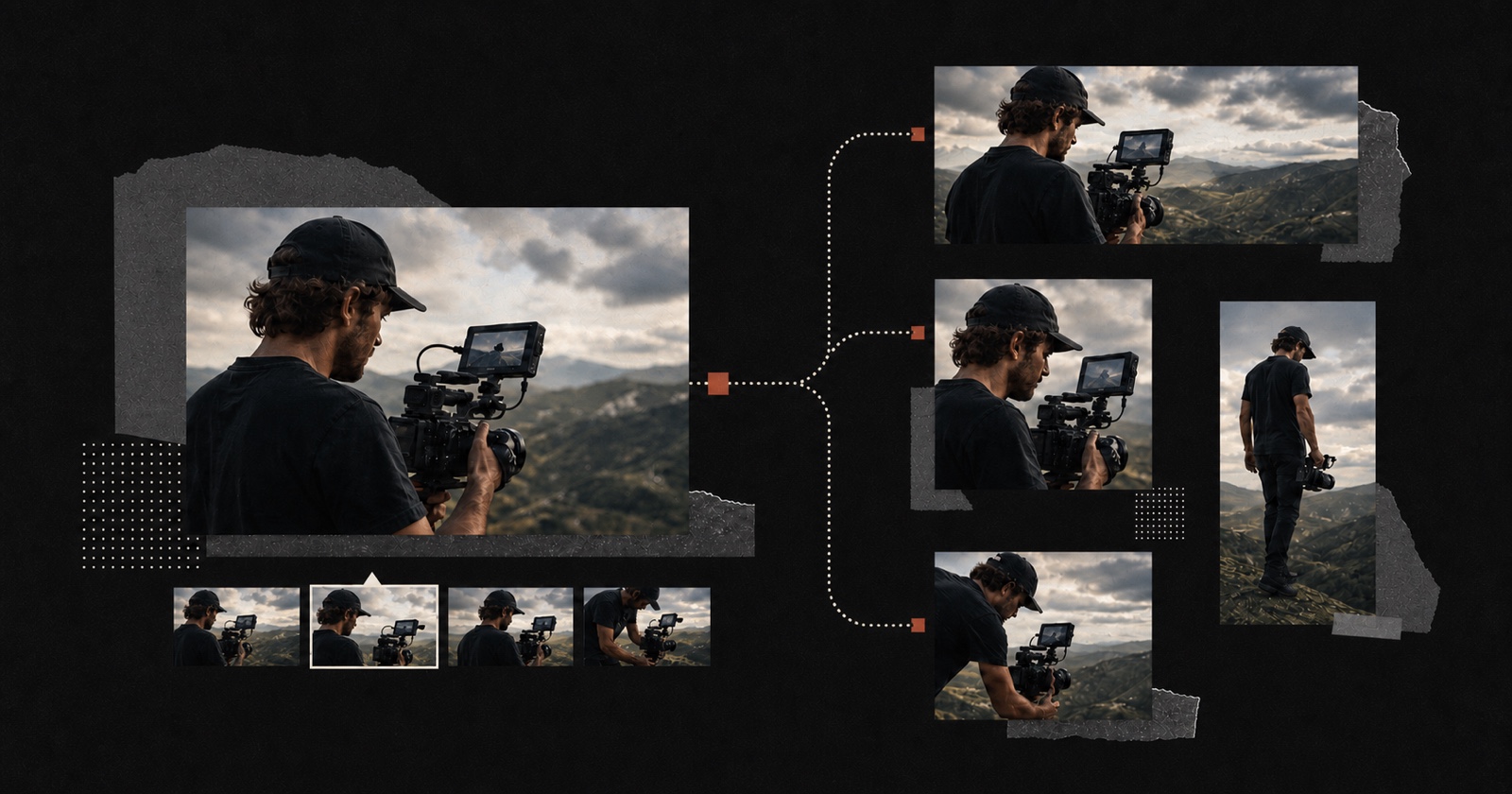
An automatic video editor analyzes source footage and assists with repeated editing decisions. Pireel can clean one recording, find shorts in a long source, arrange several clips or prepare output variants. Speech, framing, scene changes and timed visual elements remain reviewable, while direct edits and Chat changes continue in the same live video. Automation does not make factual, editorial or publishing judgment on the creator’s behalf.
The selected workflow determines which speech, visuals, product evidence or story structure matter for the task.
Cuts, ordering, reframing, captions, audio and designed graphics are planned into one or several editable videos.
The creator can edit directly, request Agent changes and export only after the result is acceptable.
The best automatic workflow separates repeatable operations from decisions that require context.
A video can change palette, typography and layout while its shots, captions and graphics remain editable.
No. Automation and direct editing work on the same video. The creator remains responsible for corrections and final approval.
The workflow can assist with transcription, spoken cuts, scene planning, framing, captions, designed graphics and export preparation.
No. Each output can choose its own aspect ratio, visual theme, shot treatment, captions and graphics.
Yes. The draft stays editable. Request a revision in plain language or change individual shots, captions and graphics.
Talking heads, interviews, podcasts, courses, vlogs, commerce footage and product demos are supported. The best workflow depends on whether one or many sources should become one or many outputs.
Upload a representative clip or a small related set, choose the closest workflow and review every output before changing your full process.
Start editing