GPT Image 2.6 is the image model OpenAI released on November 4, 2026, called Images 2.6 in ChatGPT. The change getting the attention is that it makes a GIF straight from a sentence or a photo. In the API it comes as two models, Flare for speed and Sunburst for detail, and adds GIF and SVG output. For anyone making videos, two questions matter: which model suits covers and B-roll, and whether it costs more.
What's new in GPT Image 2.6
| Where | What's new | Details |
|---|---|---|
| ChatGPT, Codex | GIFs | Make an animated GIF from a description or a photo, adjust the speed, edit single frames, then share it |
| ChatGPT | Reusable references | Keep reference images of yourself, pets or characters and reuse them without uploading again |
| ChatGPT, API | Faster | OpenAI says 50% faster overall; Flare can render a low-quality image in about six seconds |
| API | Flare and Sunburst | Flare for fast iteration; Sunburst for detailed work and consistent edits |
| API | GIF and SVG output | The generation endpoint can return an animated GIF or a vector SVG |
| API | Markup-guided edits | Mark where to change the image, then describe the change |
| API | complexity | How much the model plans before rendering: low, medium or high, default high |
According to The Decoder and TestingCatalog, GIF creation is rolling out to all ChatGPT and Codex users on the web, desktop and mobile. OpenAI has not published a GIF length limit, nor how it handles GIFs of real people or watermarks.
Making a GIF in ChatGPT
OpenAI's demo prompt was simply "Can you make a gif of a cat dancing?" The model draws several slightly different frames of the same character and strings them together like a flipbook. So a GIF looks good when the character stays consistent from frame to frame, which is exactly what 2.6 improves.
When you describe a GIF, these usually matter more than adjectives:
- One subject, one action: a wave, a blink, a nod or a turn loops far more cleanly than "a crowd dancing at a party."
- Ask for a loop: for example "the last frame leads back into the first, so it loops seamlessly."
- Keep the background simple: a plain color or a fixed scene stops frames from flickering.
- Start from a photo: to animate a channel mascot, a product or a cartoon of yourself, upload a clear image first.
- Fix it afterwards: adjust the speed if the timing is off, and edit the one frame that went wrong instead of starting over.
Flare or Sunburst
| Flare | Sunburst | |
|---|---|---|
| Built for | Fast iteration | Detail and consistency across edits |
| Good for | Generating many and picking one; B-roll stills | Covers with a lot of text; the same character or product edited round after round |
| Speed | As little as about six seconds at low quality | Slower |
| Suggested quality | Low or medium for drafts | Medium or high |
complexity and quality are separate settings. OpenAI's guide says higher complexity helps with dense text, complex layouts and relationships between objects, but adds latency and can introduce unwanted changes; a focused edit such as a new background or a changed sign is fine at low complexity.
Cost: same rates, possibly a bigger bill
On OpenAI's price list, 2.6 has the same rates as 2.5: $30 per million image output tokens, $8 per million image input tokens and $5 per million text input tokens. What differs is how many tokens an image uses.
complexitydefaults to high on 2.6, so the model plans more before rendering and can produce noticeably more output tokens. OpenAI says complexity has no separate fee, but more tokens means a bigger bill.- On launch day, OrcaRouter compared three images: about $0.12 of output on 2.6 against about $0.045 for the same images on 2.5, roughly three times as much. They note that three images are far too few to establish a multiplier.
- AIHubMix's per-image table, built from the official rates, shows the same price for 2.6 and 2.5. The difference most likely comes down to the complexity default.
- 2.6 does not support the Batch API yet, so there is no half-price batch option.
If you use 2.6 through the API, set complexity explicitly (low or medium for simple images) and log the output tokens each request actually uses, rather than relying on a per-image list price.
What video creators can do with it
- Video thumbnails: big text, a face and a background all have to be right at once, which is where Sunburst and higher complexity help. Starting from a frame of your own video looks more like you than generating from nothing.
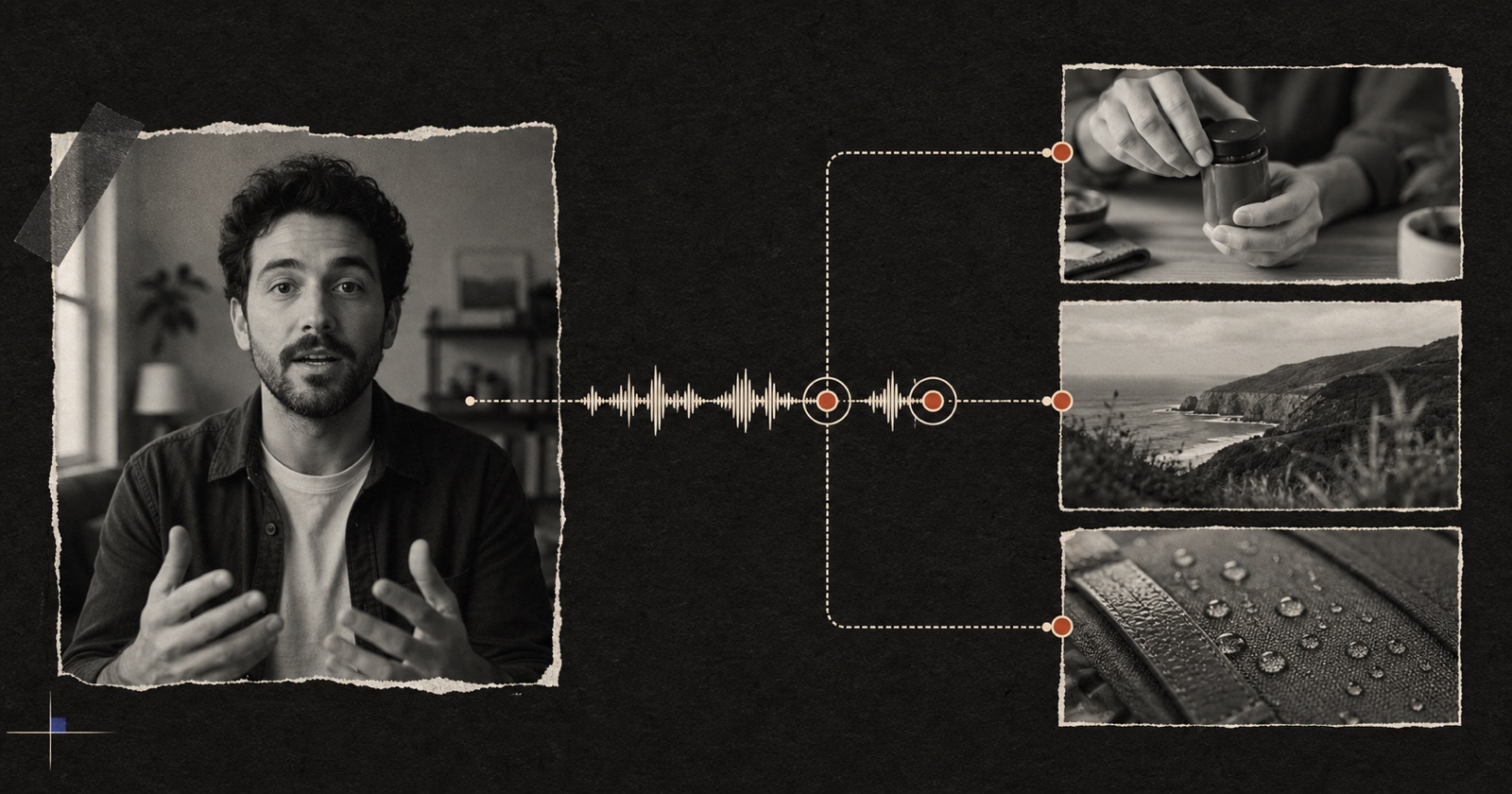
- B-roll stills for a talking-head video: when you mention a place or an object, a still image is often enough. Flare is quick, so generate a few and pick one.
- GIFs outside the video: community teasers, comment replies, a channel mascot's reactions. A few seconds of loop gets noticed more than another screenshot.
- Convert before editing: most editors treat a GIF as a sticker, and frame rate and quality on export are hit and miss. Converting it to MP4 first gives you more control.
Pireel's AI image generator offers GPT Image 2.5, charged per image. A generated image can go straight onto the line of your talking-head video that mentions it (see the AI B-roll generator), and a frame of your video can become a thumbnail. What 2.6 actually costs per image is not settled yet; Pireel will measure it before deciding whether to switch.
To see how B-roll and graphics fit a talking-head video, read B-roll and graphics for talking-head video.
Put this into practice
Frequently asked questions
Are GPT Image 2.6 and ChatGPT Images 2.6 the same thing?
They are the same generation of model. Images 2.6 is the name in ChatGPT and Codex; in the API it comes as two models, gpt-image-2.6-flare and gpt-image-2.6-sunburst.
Can the API generate GIFs?
Yes. OpenAI's image generation guide says both Flare and Sunburst support animated GIF output through the Image API, on the generation endpoint rather than the edit endpoint. Check the official docs for the frame count and frame duration settings.
Can I put a GIF from ChatGPT straight into a video?
Most editors import a GIF as a sticker or short clip. Pireel does not handle animated GIFs yet; to use one in a Pireel video, convert it to MP4 first and import that.
Sources and further reading
- OpenAI: Introducing Images 2.6
- OpenAI on X: GIFs with ChatGPT Images 2.6
- OpenAI on X: GPT-Image-2.6 Flare and Sunburst
- OpenAI API: GPT-Image-2.6 Flare model
- OpenAI API: Image generation guide
- The Decoder: ChatGPT can now turn prompts and photos into GIFs
- TestingCatalog: OpenAI launches Images 2.6
- OrcaRouter: GPT-Image-2.6 vs GPT-Image-2.5
- AIHubMix: GPT Image 2.6 vs 2.5